mirror of
https://github.com/kiliman/operator-mono-lig.git
synced 2026-08-12 02:10:52 +02:00
 kiliman
106 lines
3.0 KiB
Markdown
106 lines
3.0 KiB
Markdown
# Operator Mono Ligatures
|
|
|
|
This project will generate new OpenType fonts for [Operator Mono](https://www.typography.com/fonts/operator/styles/) that includes ligatures similar to
|
|
those found in the popular [Fira Code](https://github.com/tonsky/FiraCode) font.
|
|
|
|
These ligatures were custom created using [Glyphs](https://glyphsapp.com/).
|
|
There are even italic versions of the ligatures.
|
|
|
|
I have updated the following fonts:
|
|
|
|
## ScreenSmart versions
|
|
* Operator Mono SSm Book
|
|
* Operator Mono SSm Book Italic
|
|
* Operator Mono SSm Medium
|
|
* Operator Mono SSm Medium Italic
|
|
* Operator Mono SSm Light
|
|
* Operator Mono SSm Light Italic (**coming soon**)
|
|
|
|
## Regular versions
|
|
* Operator Mono Book
|
|
* Operator Mono Book Italic (**coming soon**)
|
|
* Operator Mono Medium
|
|
* Operator Mono Medium Italic
|
|
|
|
**Operator Mono SSm Book**
|
|
|
|
<img src="./images/operator-mono-ssm-book.png" />
|
|
|
|
**Operator Mono SSm Medium**
|
|
|
|
<img src="./images/operator-mono-ssm-medium.png" />
|
|
|
|
**Creating ligatures using Glyphs**
|
|
|
|
<img src="./images/glyphs-screenshot.png" />
|
|
|
|
**YouTube video (click to view)**
|
|
|
|
[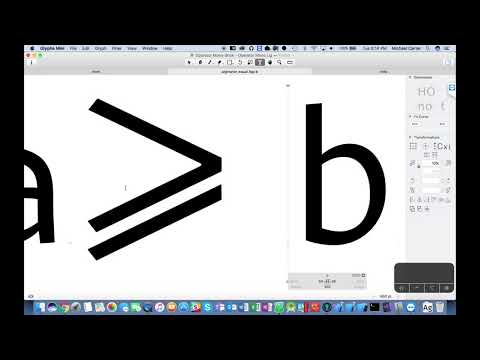](https://youtu.be/ttI3W5Dh54E)
|
|
|
|
>NOTE: Because *Operator Mono* is not a free font, you must have the original font files. This utility
|
|
will merge the ligature definitions into a copy of the original font. The new font family is named *Operator Mono Lig* so you can install it side-by-side with the original font.
|
|
|
|
## Prerequisites
|
|
* The original *Operator Mono* font... of course.
|
|
* Install *fonttools* from https://github.com/fonttools/fonttools
|
|
* Install Python
|
|
* Run: `pip install fonttools`
|
|
* Node.js (**version 7.6+ for async/await support**)
|
|
|
|
## How to Install
|
|
|
|
Once all the prerequisites have been installed, clone this repo.
|
|
|
|
From the command line, run:
|
|
|
|
```
|
|
npm install
|
|
```
|
|
|
|
Copy your *Operator Mono* OpenType files into the `original` folder.
|
|
|
|
From the command line, run:
|
|
|
|
### Windows
|
|
|
|
```
|
|
build
|
|
```
|
|
|
|
### Linux/Mac
|
|
|
|
```
|
|
build.sh
|
|
```
|
|
|
|
This will generate the new font files in the `build` folder. You can now install these fonts on your system.
|
|
|
|
---
|
|
|
|
<img src="./images/OperatorMonoAllTheThings.png" />
|
|
|
|
## GitHub
|
|
Add *Operator Mono* to GitHub code blocks using the [Stylish Extension](https://chrome.google.com/webstore/detail/stylish-custom-themes-for/fjnbnpbmkenffdnngjfgmeleoegfcffe?hl=en).
|
|
|
|
Create a style and enter the following:
|
|
|
|
```css
|
|
.blob-code-inner, .blob-num, .highlight pre { font-family: "Operator Mono Lig" !important; font-size: 16px !important; }
|
|
.pl-c, .pl-e { font-style: italic; }
|
|
.pl-c { color: #4CAF50; }
|
|
```
|
|
<img src="./images/github-operatormono.png" />
|
|
|
|
## Visual Studio
|
|
|
|
You can have Visual Studio display the nice *Operator Mono* italic font for comments, using the [CommentsPlus Extension](https://marketplace.visualstudio.com/items?itemName=mhoumann.CommentsPlus).
|
|
|
|
<img src="./images/vsoperatormono.png" />
|
|
|
|
## Hyper shell
|
|
|
|
Add *Operator Mono* to [Hyper](https://hyper.is/) a JS/CSS/HTML Terminal.
|
|
|
|
<img src="./images/hyper terminal.png" />
|