
Also see: pure bash bible (📖 A collection of pure bash alternatives to external processes).
A collection of pure POSIX sh alternatives to external processes.
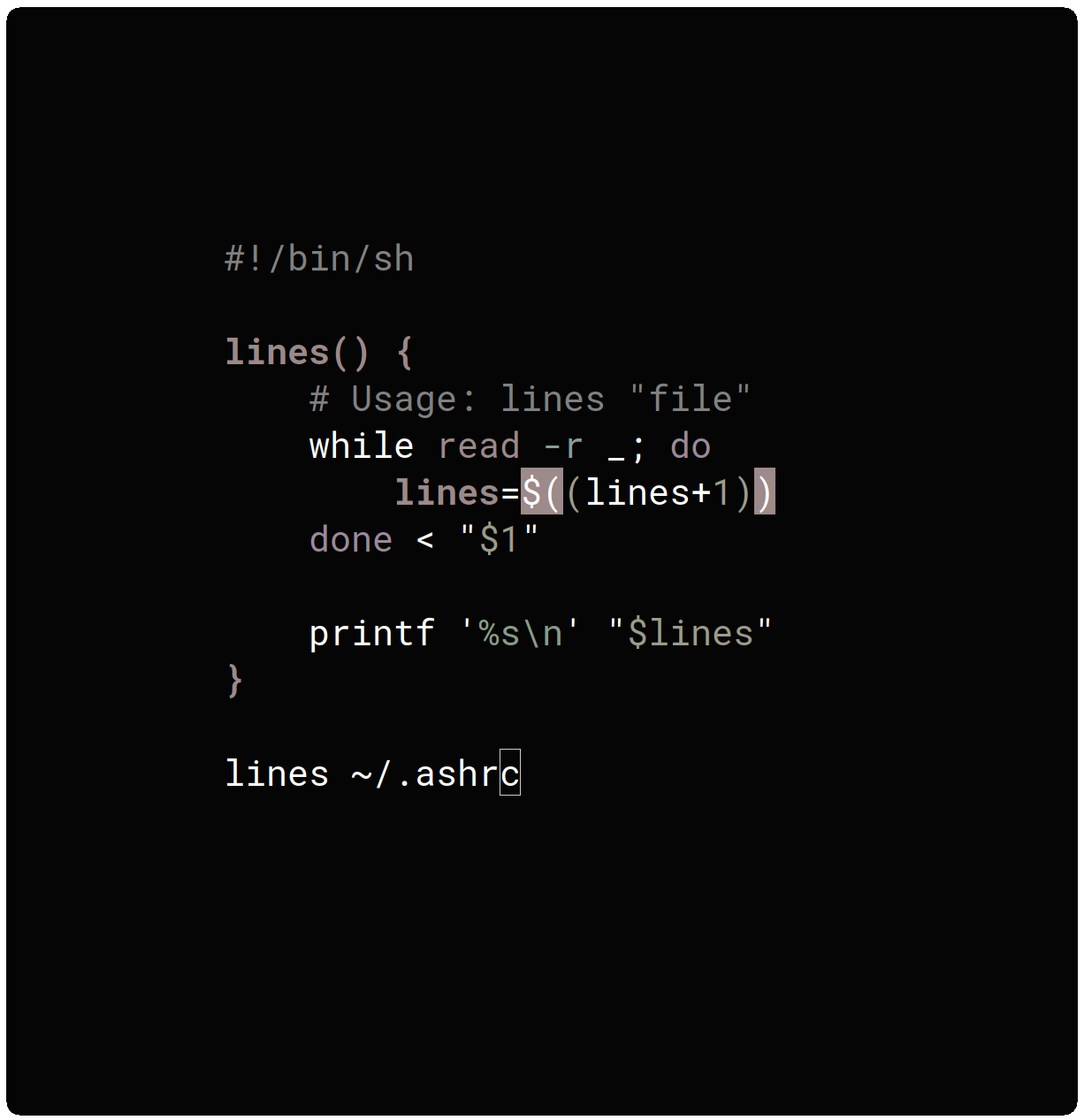 The goal of this book is to document commonly-known and lesser-known methods of doing various tasks using only built-in POSIX `sh` features. Using the snippets from this bible can help remove unneeded dependencies from scripts and in most cases make them faster. I came across these tips and discovered a few while developing [KISS Linux](https://getkiss.org) and other smaller projects.
The snippets below are all linted using `shellcheck`.
See something incorrectly described, buggy or outright wrong? Open an issue or send a pull request. If the bible is missing something, open an issue and a solution will be found.
# Table of Contents
* [STRINGS](#strings)
* [Strip pattern from start of string](#strip-pattern-from-start-of-string)
* [Strip pattern from end of string](#strip-pattern-from-end-of-string)
* [Trim leading and trailing white-space from string](#trim-leading-and-trailing-white-space-from-string)
* [Trim all white-space from string and truncate spaces](#trim-all-white-space-from-string-and-truncate-spaces)
* [Check if string contains a sub-string](#check-if-string-contains-a-sub-string)
* [Check if string starts with sub-string](#check-if-string-starts-with-sub-string)
* [Check if string ends with sub-string](#check-if-string-ends-with-sub-string)
* [Split a string on a delimiter](#split-a-string-on-a-delimiter)
* [Trim quotes from a string](#trim-quotes-from-a-string)
* [FILES](#files)
* [Parsing a `key=val` file.](#parsing-a-keyval-file)
* [Get the first N lines of a file](#get-the-first-n-lines-of-a-file)
* [Get the number of lines in a file](#get-the-number-of-lines-in-a-file)
* [Count files or directories in directory](#count-files-or-directories-in-directory)
* [Create an empty file](#create-an-empty-file)
* [FILE PATHS](#file-paths)
* [Get the directory name of a file path](#get-the-directory-name-of-a-file-path)
* [Get the base-name of a file path](#get-the-base-name-of-a-file-path)
* [LOOPS](#loops)
* [Loop over a (*small*) range of numbers](#loop-over-a-small-range-of-numbers)
* [Loop over a variable range of numbers](#loop-over-a-variable-range-of-numbers)
* [Loop over the contents of a file](#loop-over-the-contents-of-a-file)
* [Loop over files and directories](#loop-over-files-and-directories)
* [VARIABLES](#variables)
* [Name a variable based on another variable](#name-a-variable-based-on-another-variable)
* [ESCAPE SEQUENCES](#escape-sequences)
* [Text Colors](#text-colors)
* [Text Attributes](#text-attributes)
* [Cursor Movement](#cursor-movement)
* [Erasing Text](#erasing-text)
* [PARAMETER EXPANSION](#parameter-expansion)
* [Replacement](#replacement)
* [Length](#length)
* [Default Value](#default-value)
* [CONDITIONAL EXPRESSIONS](#conditional-expressions)
* [File Conditionals](#file-conditionals)
* [Variable Conditionals](#variable-conditionals)
* [Variable Comparisons](#variable-comparisons)
* [ARITHMETIC OPERATORS](#arithmetic-operators)
* [Assignment](#assignment)
* [Arithmetic](#arithmetic)
* [Bitwise](#bitwise)
* [Logical](#logical)
* [Miscellaneous](#miscellaneous)
* [ARITHMETIC](#arithmetic-1)
* [Ternary Tests](#ternary-tests)
* [TRAPS](#traps)
* [Do something on script exit](#do-something-on-script-exit)
* [Ignore terminal interrupt (CTRL+C, SIGINT)](#ignore-terminal-interrupt-ctrlc-sigint)
* [OBSOLETE SYNTAX](#obsolete-syntax)
* [Command Substitution](#command-substitution)
* [INTERNAL AND ENVIRONMENT VARIABLES](#internal-and-environment-variables)
* [Open the user's preferred text editor](#open-the-users-preferred-text-editor)
* [Get the current working directory](#get-the-current-working-directory)
* [Get the PID of the current shell](#get-the-pid-of-the-current-shell)
* [Get the current shell options](#get-the-current-shell-options)
* [AFTERWORD](#afterword)
# STRINGS
## Strip pattern from start of string
**Example Function:**
```sh
lstrip() {
# Usage: lstrip "string" "pattern"
printf '%s\n' "${1##$2}"
}
```
**Example Usage:**
```shell
$ lstrip "The Quick Brown Fox" "The "
Quick Brown Fox
```
## Strip pattern from end of string
**Example Function:**
```sh
rstrip() {
# Usage: rstrip "string" "pattern"
printf '%s\n' "${1%%$2}"
}
```
**Example Usage:**
```shell
$ rstrip "The Quick Brown Fox" " Fox"
The Quick Brown
```
## Trim leading and trailing white-space from string
This is an alternative to `sed`, `awk`, `perl` and other tools. The
function below works by finding all leading and trailing white-space and
removing it from the start and end of the string.
**Example Function:**
```sh
trim_string() {
# Usage: trim_string " example string "
trim=${1#${1%%[![:space:]]*}}
trim=${trim%${trim##*[![:space:]]}}
printf '%s\n' "$trim"
}
```
**Example Usage:**
```shell
$ trim_string " Hello, World "
Hello, World
$ name=" John Black "
$ trim_string "$name"
John Black
```
## Trim all white-space from string and truncate spaces
This is an alternative to `sed`, `awk`, `perl` and other tools. The
function below works by abusing word splitting to create a new string
without leading/trailing white-space and with truncated spaces.
**Example Function:**
```sh
# shellcheck disable=SC2086,SC2048
trim_all() {
# Usage: trim_all " example string "
set -f
set -- $*
printf '%s\n' "$*"
set +f
}
```
**Example Usage:**
```shell
$ trim_all " Hello, World "
Hello, World
$ name=" John Black is my name. "
$ trim_all "$name"
John Black is my name.
```
## Check if string contains a sub-string
**Using a case statement:**
```shell
case $var in
*sub_string*)
# Do stuff
;;
*sub_string2*)
# Do more stuff
;;
*)
# Else
;;
esac
```
## Check if string starts with sub-string
**Using a case statement:**
```shell
case $var in
sub_string*)
# Do stuff
;;
sub_string2*)
# Do more stuff
;;
*)
# Else
;;
esac
```
## Check if string ends with sub-string
**Using a case statement:**
```shell
case $var in
*sub_string)
# Do stuff
;;
*sub_string2)
# Do more stuff
;;
*)
# Else
;;
esac
```
## Split a string on a delimiter
This is an alternative to `cut`, `awk` and other tools.
**Example Function:**
```sh
split() {
# Disable globbing.
# This ensures that the word-splitting is safe.
set -f
# Store the current value of 'IFS' so we
# can restore it later.
old_ifs=$IFS
# Change the field separator to what we're
# splitting on.
IFS=$2
# Create an argument list splitting at each
# occurance of '$2'.
#
# This is safe to disable as it just warns against
# word-splitting which is the behavior we expect.
# shellcheck disable=2086
set -- $1
# Print each list value on its own line.
printf '%s\n' "$@"
# Restore the value of 'IFS'.
IFS=$old_ifs
# Re-enable globbing.
set +f
}
```
**Example Usage:**
```shell
$ split "apples,oranges,pears,grapes" ","
apples
oranges
pears
grapes
$ split "1, 2, 3, 4, 5" ", "
1
2
3
4
5
```
## Trim quotes from a string
**Example Function:**
```sh
trim_quotes() {
# Usage: trim_quotes "string"
# Disable globbing.
# This makes the word-splitting below safe.
set -f
# Store the current value of 'IFS' so we
# can restore it later.
old_ifs=$IFS
# Set 'IFS' to ["'].
IFS=\"\'
# Create an argument list, splitting the
# string at ["'].
#
# Disable this shellcheck error as it only
# warns about word-splitting which we expect.
# shellcheck disable=2086
set -- $1
# Set 'IFS' to blank to remove spaces left
# by the removal of ["'].
IFS=
# Print the quote-less string.
printf '%s\n' "$*"
# Restore the value of 'IFS'.
IFS=$old_ifs
# Re-enable globbing.
set +f
}
```
**Example Usage:**
```shell
$ var="'Hello', \"World\""
$ trim_quotes "$var"
Hello, World
```
# FILES
## Parsing a `key=val` file.
This could be used to parse a simple `key=value` configuration file.
```shell
# Setting 'IFS' tells 'read' where to split the string.
while IFS='=' read -r key val; do
# Skip over lines containing comments.
# (Lines starting with '#').
[ "${key##\#*}" ] || continue
# '$key' stores the key.
# '$val' stores the value.
printf '%s: %s\n' "$key" "$val"
# Alternatively replacing 'printf' with the following
# populates variables called '$key' with the value of '$val'.
#
# NOTE: I would extend this with a check to ensure 'key' is
# a valid variable name.
# export "$key=$val"
#
# Example with error handling:
# export "$key=$val" 2>/dev/null ||
# printf 'warning %s is not a valid variable name\n' "$key"
done < "file"
```
## Get the first N lines of a file
Alternative to the `head` command.
**Example Function:**
```sh
head() {
# Usage: head "n" "file"
while read -r line; do
[ "$i" = "$1" ] && break
printf '%s\n' "$line"
i=$((i+1))
done < "$2"
}
```
**Example Usage:**
```shell
$ head 2 ~/.bashrc
# Prompt
PS1='➜ '
$ head 1 ~/.bashrc
# Prompt
```
## Get the number of lines in a file
Alternative to `wc -l`.
**Example Function:**
```sh
lines() {
# Usage: lines "file"
while read -r _; do
lines=$((lines+1))
done < "$1"
printf '%s\n' "$lines"
}
```
**Example Usage:**
```shell
$ lines ~/.bashrc
48
```
## Count files or directories in directory
This works by passing the output of the glob to the function and then counting the number of arguments.
**Example Function:**
```sh
count() {
# Usage: count /path/to/dir/*
# count /path/to/dir/*/
printf '%s\n' "$#"
}
```
**Example Usage:**
```shell
# Count all files in dir.
$ count ~/Downloads/*
232
# Count all dirs in dir.
$ count ~/Downloads/*/
45
# Count all jpg files in dir.
$ count ~/Pictures/*.jpg
64
```
## Create an empty file
Alternative to `touch`.
```shell
:>file
# OR (shellcheck warns for this)
>file
```
# FILE PATHS
## Get the directory name of a file path
Alternative to the `dirname` command.
**Example Function:**
```sh
dirname() {
# Usage: dirname "path"
printf '%s\n' "${1%/*}/"
}
```
**Example Usage:**
```shell
$ dirname ~/Pictures/Wallpapers/1.jpg
/home/black/Pictures/Wallpapers/
$ dirname ~/Pictures/Downloads/
/home/black/Pictures/
```
## Get the base-name of a file path
Alternative to the `basename` command.
**Example Function:**
```sh
basename() {
# Usage: basename "path"
path=${1%/}
printf '%s\n' "${path##*/}"
}
```
**Example Usage:**
```shell
$ basename ~/Pictures/Wallpapers/1.jpg
1.jpg
$ basename ~/Pictures/Downloads/
Downloads
```
# LOOPS
## Loop over a (*small*) range of numbers
Alternative to `seq` and only suitable for small and static number ranges. The number list can also be replaced with a list of words, variables etc.
```shell
# Loop from 0-10.
for i in 0 1 2 3 4 5 6 7 8 9 10; do
printf '%s\n' "$i"
done
```
## Loop over a variable range of numbers
Alternative to `seq`.
```shell
# Loop from var-var.
start=0
end=50
while [ "$start" -le "$end" ]; do
printf '%s\n' "$start"
start=$((start+1))
done
```
## Loop over the contents of a file
```shell
while read -r line; do
printf '%s\n' "$line"
done < "file"
```
## Loop over files and directories
Don’t use `ls`.
```shell
# Greedy example.
for file in *; do
printf '%s\n' "$file"
done
# PNG files in dir.
for file in ~/Pictures/*.png; do
printf '%s\n' "$file"
done
# Iterate over directories.
for dir in ~/Downloads/*/; do
printf '%s\n' "$dir"
done
```
# VARIABLES
## Name a variable based on another variable
```shell
$ var="world"
$ export "hello_$var=value"
$ printf '%s\n' "$hello_world"
value
```
# ESCAPE SEQUENCES
Contrary to popular belief, there is no issue in utilizing raw escape sequences. Using `tput` abstracts the same ANSI sequences as if printed manually. Worse still, `tput` is not actually portable. There are a number of `tput` variants each with different commands and syntaxes (*try `tput setaf 3` on a FreeBSD system*). Raw sequences are fine.
## Text Colors
**NOTE:** Sequences requiring RGB values only work in True-Color Terminal Emulators.
| Sequence | What does it do? | Value |
| -------- | ---------------- | ----- |
| `\033[38;5;
The goal of this book is to document commonly-known and lesser-known methods of doing various tasks using only built-in POSIX `sh` features. Using the snippets from this bible can help remove unneeded dependencies from scripts and in most cases make them faster. I came across these tips and discovered a few while developing [KISS Linux](https://getkiss.org) and other smaller projects.
The snippets below are all linted using `shellcheck`.
See something incorrectly described, buggy or outright wrong? Open an issue or send a pull request. If the bible is missing something, open an issue and a solution will be found.
# Table of Contents
* [STRINGS](#strings)
* [Strip pattern from start of string](#strip-pattern-from-start-of-string)
* [Strip pattern from end of string](#strip-pattern-from-end-of-string)
* [Trim leading and trailing white-space from string](#trim-leading-and-trailing-white-space-from-string)
* [Trim all white-space from string and truncate spaces](#trim-all-white-space-from-string-and-truncate-spaces)
* [Check if string contains a sub-string](#check-if-string-contains-a-sub-string)
* [Check if string starts with sub-string](#check-if-string-starts-with-sub-string)
* [Check if string ends with sub-string](#check-if-string-ends-with-sub-string)
* [Split a string on a delimiter](#split-a-string-on-a-delimiter)
* [Trim quotes from a string](#trim-quotes-from-a-string)
* [FILES](#files)
* [Parsing a `key=val` file.](#parsing-a-keyval-file)
* [Get the first N lines of a file](#get-the-first-n-lines-of-a-file)
* [Get the number of lines in a file](#get-the-number-of-lines-in-a-file)
* [Count files or directories in directory](#count-files-or-directories-in-directory)
* [Create an empty file](#create-an-empty-file)
* [FILE PATHS](#file-paths)
* [Get the directory name of a file path](#get-the-directory-name-of-a-file-path)
* [Get the base-name of a file path](#get-the-base-name-of-a-file-path)
* [LOOPS](#loops)
* [Loop over a (*small*) range of numbers](#loop-over-a-small-range-of-numbers)
* [Loop over a variable range of numbers](#loop-over-a-variable-range-of-numbers)
* [Loop over the contents of a file](#loop-over-the-contents-of-a-file)
* [Loop over files and directories](#loop-over-files-and-directories)
* [VARIABLES](#variables)
* [Name a variable based on another variable](#name-a-variable-based-on-another-variable)
* [ESCAPE SEQUENCES](#escape-sequences)
* [Text Colors](#text-colors)
* [Text Attributes](#text-attributes)
* [Cursor Movement](#cursor-movement)
* [Erasing Text](#erasing-text)
* [PARAMETER EXPANSION](#parameter-expansion)
* [Replacement](#replacement)
* [Length](#length)
* [Default Value](#default-value)
* [CONDITIONAL EXPRESSIONS](#conditional-expressions)
* [File Conditionals](#file-conditionals)
* [Variable Conditionals](#variable-conditionals)
* [Variable Comparisons](#variable-comparisons)
* [ARITHMETIC OPERATORS](#arithmetic-operators)
* [Assignment](#assignment)
* [Arithmetic](#arithmetic)
* [Bitwise](#bitwise)
* [Logical](#logical)
* [Miscellaneous](#miscellaneous)
* [ARITHMETIC](#arithmetic-1)
* [Ternary Tests](#ternary-tests)
* [TRAPS](#traps)
* [Do something on script exit](#do-something-on-script-exit)
* [Ignore terminal interrupt (CTRL+C, SIGINT)](#ignore-terminal-interrupt-ctrlc-sigint)
* [OBSOLETE SYNTAX](#obsolete-syntax)
* [Command Substitution](#command-substitution)
* [INTERNAL AND ENVIRONMENT VARIABLES](#internal-and-environment-variables)
* [Open the user's preferred text editor](#open-the-users-preferred-text-editor)
* [Get the current working directory](#get-the-current-working-directory)
* [Get the PID of the current shell](#get-the-pid-of-the-current-shell)
* [Get the current shell options](#get-the-current-shell-options)
* [AFTERWORD](#afterword)
# STRINGS
## Strip pattern from start of string
**Example Function:**
```sh
lstrip() {
# Usage: lstrip "string" "pattern"
printf '%s\n' "${1##$2}"
}
```
**Example Usage:**
```shell
$ lstrip "The Quick Brown Fox" "The "
Quick Brown Fox
```
## Strip pattern from end of string
**Example Function:**
```sh
rstrip() {
# Usage: rstrip "string" "pattern"
printf '%s\n' "${1%%$2}"
}
```
**Example Usage:**
```shell
$ rstrip "The Quick Brown Fox" " Fox"
The Quick Brown
```
## Trim leading and trailing white-space from string
This is an alternative to `sed`, `awk`, `perl` and other tools. The
function below works by finding all leading and trailing white-space and
removing it from the start and end of the string.
**Example Function:**
```sh
trim_string() {
# Usage: trim_string " example string "
trim=${1#${1%%[![:space:]]*}}
trim=${trim%${trim##*[![:space:]]}}
printf '%s\n' "$trim"
}
```
**Example Usage:**
```shell
$ trim_string " Hello, World "
Hello, World
$ name=" John Black "
$ trim_string "$name"
John Black
```
## Trim all white-space from string and truncate spaces
This is an alternative to `sed`, `awk`, `perl` and other tools. The
function below works by abusing word splitting to create a new string
without leading/trailing white-space and with truncated spaces.
**Example Function:**
```sh
# shellcheck disable=SC2086,SC2048
trim_all() {
# Usage: trim_all " example string "
set -f
set -- $*
printf '%s\n' "$*"
set +f
}
```
**Example Usage:**
```shell
$ trim_all " Hello, World "
Hello, World
$ name=" John Black is my name. "
$ trim_all "$name"
John Black is my name.
```
## Check if string contains a sub-string
**Using a case statement:**
```shell
case $var in
*sub_string*)
# Do stuff
;;
*sub_string2*)
# Do more stuff
;;
*)
# Else
;;
esac
```
## Check if string starts with sub-string
**Using a case statement:**
```shell
case $var in
sub_string*)
# Do stuff
;;
sub_string2*)
# Do more stuff
;;
*)
# Else
;;
esac
```
## Check if string ends with sub-string
**Using a case statement:**
```shell
case $var in
*sub_string)
# Do stuff
;;
*sub_string2)
# Do more stuff
;;
*)
# Else
;;
esac
```
## Split a string on a delimiter
This is an alternative to `cut`, `awk` and other tools.
**Example Function:**
```sh
split() {
# Disable globbing.
# This ensures that the word-splitting is safe.
set -f
# Store the current value of 'IFS' so we
# can restore it later.
old_ifs=$IFS
# Change the field separator to what we're
# splitting on.
IFS=$2
# Create an argument list splitting at each
# occurance of '$2'.
#
# This is safe to disable as it just warns against
# word-splitting which is the behavior we expect.
# shellcheck disable=2086
set -- $1
# Print each list value on its own line.
printf '%s\n' "$@"
# Restore the value of 'IFS'.
IFS=$old_ifs
# Re-enable globbing.
set +f
}
```
**Example Usage:**
```shell
$ split "apples,oranges,pears,grapes" ","
apples
oranges
pears
grapes
$ split "1, 2, 3, 4, 5" ", "
1
2
3
4
5
```
## Trim quotes from a string
**Example Function:**
```sh
trim_quotes() {
# Usage: trim_quotes "string"
# Disable globbing.
# This makes the word-splitting below safe.
set -f
# Store the current value of 'IFS' so we
# can restore it later.
old_ifs=$IFS
# Set 'IFS' to ["'].
IFS=\"\'
# Create an argument list, splitting the
# string at ["'].
#
# Disable this shellcheck error as it only
# warns about word-splitting which we expect.
# shellcheck disable=2086
set -- $1
# Set 'IFS' to blank to remove spaces left
# by the removal of ["'].
IFS=
# Print the quote-less string.
printf '%s\n' "$*"
# Restore the value of 'IFS'.
IFS=$old_ifs
# Re-enable globbing.
set +f
}
```
**Example Usage:**
```shell
$ var="'Hello', \"World\""
$ trim_quotes "$var"
Hello, World
```
# FILES
## Parsing a `key=val` file.
This could be used to parse a simple `key=value` configuration file.
```shell
# Setting 'IFS' tells 'read' where to split the string.
while IFS='=' read -r key val; do
# Skip over lines containing comments.
# (Lines starting with '#').
[ "${key##\#*}" ] || continue
# '$key' stores the key.
# '$val' stores the value.
printf '%s: %s\n' "$key" "$val"
# Alternatively replacing 'printf' with the following
# populates variables called '$key' with the value of '$val'.
#
# NOTE: I would extend this with a check to ensure 'key' is
# a valid variable name.
# export "$key=$val"
#
# Example with error handling:
# export "$key=$val" 2>/dev/null ||
# printf 'warning %s is not a valid variable name\n' "$key"
done < "file"
```
## Get the first N lines of a file
Alternative to the `head` command.
**Example Function:**
```sh
head() {
# Usage: head "n" "file"
while read -r line; do
[ "$i" = "$1" ] && break
printf '%s\n' "$line"
i=$((i+1))
done < "$2"
}
```
**Example Usage:**
```shell
$ head 2 ~/.bashrc
# Prompt
PS1='➜ '
$ head 1 ~/.bashrc
# Prompt
```
## Get the number of lines in a file
Alternative to `wc -l`.
**Example Function:**
```sh
lines() {
# Usage: lines "file"
while read -r _; do
lines=$((lines+1))
done < "$1"
printf '%s\n' "$lines"
}
```
**Example Usage:**
```shell
$ lines ~/.bashrc
48
```
## Count files or directories in directory
This works by passing the output of the glob to the function and then counting the number of arguments.
**Example Function:**
```sh
count() {
# Usage: count /path/to/dir/*
# count /path/to/dir/*/
printf '%s\n' "$#"
}
```
**Example Usage:**
```shell
# Count all files in dir.
$ count ~/Downloads/*
232
# Count all dirs in dir.
$ count ~/Downloads/*/
45
# Count all jpg files in dir.
$ count ~/Pictures/*.jpg
64
```
## Create an empty file
Alternative to `touch`.
```shell
:>file
# OR (shellcheck warns for this)
>file
```
# FILE PATHS
## Get the directory name of a file path
Alternative to the `dirname` command.
**Example Function:**
```sh
dirname() {
# Usage: dirname "path"
printf '%s\n' "${1%/*}/"
}
```
**Example Usage:**
```shell
$ dirname ~/Pictures/Wallpapers/1.jpg
/home/black/Pictures/Wallpapers/
$ dirname ~/Pictures/Downloads/
/home/black/Pictures/
```
## Get the base-name of a file path
Alternative to the `basename` command.
**Example Function:**
```sh
basename() {
# Usage: basename "path"
path=${1%/}
printf '%s\n' "${path##*/}"
}
```
**Example Usage:**
```shell
$ basename ~/Pictures/Wallpapers/1.jpg
1.jpg
$ basename ~/Pictures/Downloads/
Downloads
```
# LOOPS
## Loop over a (*small*) range of numbers
Alternative to `seq` and only suitable for small and static number ranges. The number list can also be replaced with a list of words, variables etc.
```shell
# Loop from 0-10.
for i in 0 1 2 3 4 5 6 7 8 9 10; do
printf '%s\n' "$i"
done
```
## Loop over a variable range of numbers
Alternative to `seq`.
```shell
# Loop from var-var.
start=0
end=50
while [ "$start" -le "$end" ]; do
printf '%s\n' "$start"
start=$((start+1))
done
```
## Loop over the contents of a file
```shell
while read -r line; do
printf '%s\n' "$line"
done < "file"
```
## Loop over files and directories
Don’t use `ls`.
```shell
# Greedy example.
for file in *; do
printf '%s\n' "$file"
done
# PNG files in dir.
for file in ~/Pictures/*.png; do
printf '%s\n' "$file"
done
# Iterate over directories.
for dir in ~/Downloads/*/; do
printf '%s\n' "$dir"
done
```
# VARIABLES
## Name a variable based on another variable
```shell
$ var="world"
$ export "hello_$var=value"
$ printf '%s\n' "$hello_world"
value
```
# ESCAPE SEQUENCES
Contrary to popular belief, there is no issue in utilizing raw escape sequences. Using `tput` abstracts the same ANSI sequences as if printed manually. Worse still, `tput` is not actually portable. There are a number of `tput` variants each with different commands and syntaxes (*try `tput setaf 3` on a FreeBSD system*). Raw sequences are fine.
## Text Colors
**NOTE:** Sequences requiring RGB values only work in True-Color Terminal Emulators.
| Sequence | What does it do? | Value |
| -------- | ---------------- | ----- |
| `\033[38;5; Rock on. 🤘