Prism A free, open-source audio visualizer and meter rack for your desktop and your DAW. ![code size](https://img.shields.io/github/languages/code-size/Boof2015/prism) ![GitHub Release](https://img.shields.io/github/v/release/Boof2015/prism?include_prereleases) ![GitHub License](https://img.shields.io/github/license/Boof2015/prism) ![GitHub Actions Workflow Status](https://img.shields.io/github/actions/workflow/status/Boof2015/prism/main.yml) ![GitHub Downloads (all assets, all releases)](https://img.shields.io/github/downloads/Boof2015/prism/total)

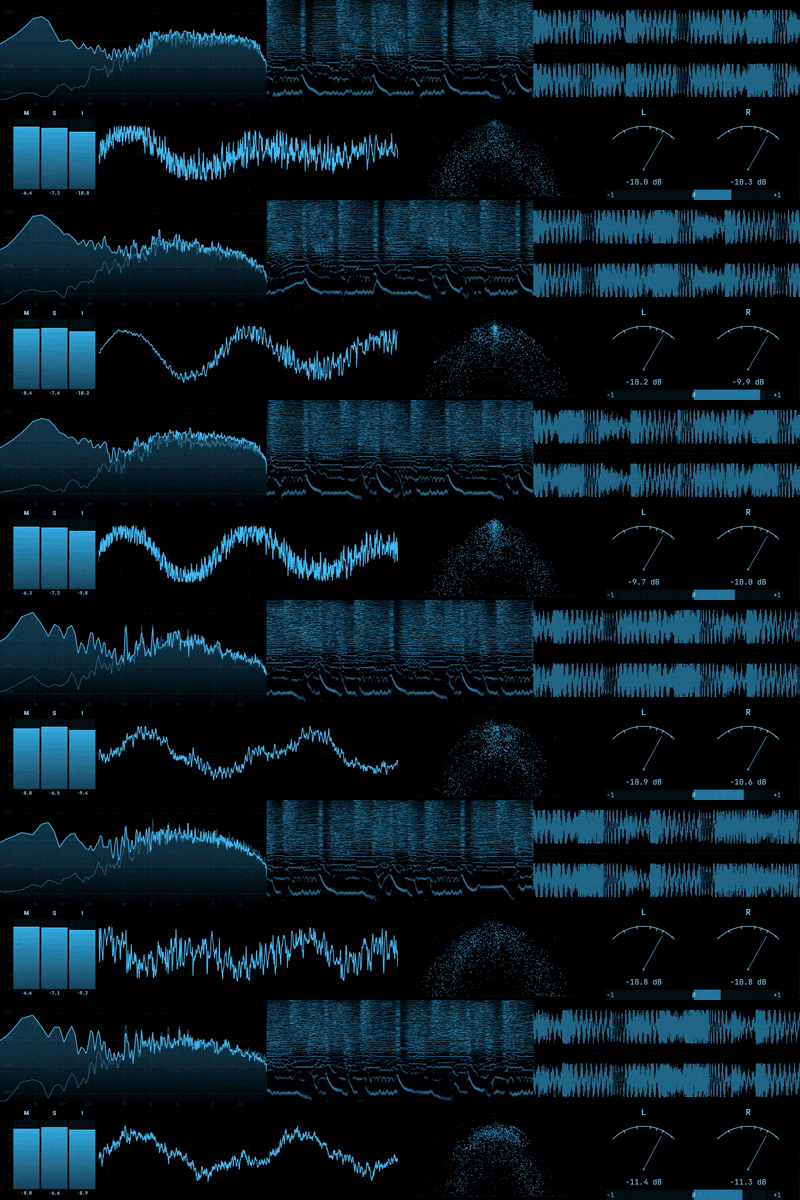
Prism taps into your system audio and runs it through a rack of real-time scopes and meters. It grew out of the visualization engine in [Astra](https://github.com/Boof2015/astra), rebuilt as a standalone tool. Whether you're mixing a track, tuning a room, or just like watching your music, Prism gives you a window into what you're hearing. ## Scopes Seven visualizers driven by a native C++ analysis engine: - **Spectrum Analyzer** — FFT frequency display with heatmap and fill modes, configurable FFT size, spectral tilt, and log or linear scaling - **Oscilloscope** — Time-domain waveform with a pitch-lock mode that syncs the display to the fundamental frequency - **Vectorscope** — Stereo phase visualization in five display modes (Lissajous, polar, linear) with optional multiband RGB split - **Spectrogram** — Scrolling frequency-over-time display with mel, log, and linear scale modes - **VU Meter** — Classic loudness metering in needle or bar style, horizontal or vertical - **Loudness Meter** — Compact LUFS metering following ITU-R BS.1770 with fast stereo peak activity - **Waveform** — Scrolling time-domain view with mono, stereo, and multiband modes ![Prism scopes](assets/prism-demo-12fps.gif) Every scope is independently configurable. Drag and resize them into whatever layout makes sense, pop any scope out into its own window, and pin windows on top so they stay visible while you work. ## DAW Plugins Every Prism scope also ships as a DAW plugin. Drop a **Spectrum**, **Oscilloscope**, **Vectorscope**, **Spectrogram**, **VU Meter**, **Loudness Meter**, or **Waveform** onto any track and it analyzes that track's audio in real time, the same analysis engine and the same interface as the desktop app. - **VST3** on Windows, macOS, and Linux, plus **AU** on macOS. - Each instance is fully configurable, and its settings save with your project. - Plugins follow your active Prism theme and profile, so they match the desktop app out of the box. - Audio passes through untouched. No DSP runs on the realtime audio thread. Tested in Ableton Live, FL Studio, and Reaper. The plugins install alongside the desktop app, so there's no separate download. ## Audio Capture Prism pulls audio at the OS level, straight from CoreAudio on macOS, WASAPI on Windows, or PulseAudio on Linux. No virtual cables or routing hacks. Flip on device input mode when you want to analyze a mic or a line-in instead. Capture-to-display latency measures under 8ms. When tested at 120fps, measured latency was 0ms. What you see is what you hear. ## Terminal UI Installable Prism packages also provide `prism-tui`, a native terminal frontend for the shared C++ capture and analysis engine. It shows a responsive spectrum, stereo VU meters, and momentary, short-term, and integrated LUFS readings. ```bash prism-tui # Capture the default system output prism-tui --list-devices # Print output device IDs; no TTY required prism-tui --device # Capture a specific output device prism-tui --help prism-tui --version ``` Press `r` to reset the analyzers and integrated loudness, or `q`, Escape, or Ctrl-C to quit. Interactive mode requires a terminal of at least 44 by 12 cells. Quote a device ID if it contains spaces. Successful help, version, listing, and interactive exits return `0`; usage errors return `2`; capture and runtime failures return `1`. The v0 TUI captures system output only. Microphone/device-input capture, Prism profiles and themes, file/stdin analysis, and the other visualizers remain GUI features for now. CoreAudio process tapping requires macOS 14.2 or newer. ## Profiles Save the whole rack as a profile. What's visible, how it's laid out, per-scope settings, popout window positions as a `.prsm` file. Keep separate profiles for different workflows and share them with others. ## Themes The whole interface is themeable through editable `.iro` files. Themes control everything, build your own in an editor and drop it into the `Prism Themes` folder, or download one from [the community](https://discord.gg/hsKK8Kr9Nj). ![Prism themes](assets/themes.png) Prism also includes Chroma key friendly themes by default, so you can key out your scopes in OBS and drop them directly into your stream as transparent overlays. ![Prism themes](assets/chroma.png) ## Download Prebuilt binaries for Windows, macOS, and Linux are available on the [Releases](https://github.com/Boof2015/prism/releases) page. ## Building from Source **Prerequisites:** Node.js 18+, npm, CMake 3.22+, and a C++ compiler toolchain. | Platform | Toolchain | |----------|-----------| | macOS | Xcode Command Line Tools | | Windows | Visual Studio Build Tools | | Linux | `build-essential`, `python3`, `libasound2-dev`, `libpulse-dev`, `libgtk-3-dev`, `libwebkit2gtk-4.1-dev` | ```bash git clone https://github.com/Boof2015/prism.git cd prism npm install ``` The `postinstall` script compiles the native C++ module for your platform. ```bash npm run dev # Development npm run build # Build application assets npm run configure:tui # Configure the standalone CMake project npm run build:tui # Build prism-tui into tui/build/bin npm run test:tui # Build and run native TUI tests npm run dist # Package for current platform, including prism-tui npm run dist:mac # macOS (PKG + ZIP) npm run dist:win # Windows (NSIS + Portable) npm run dist:linux # Linux (AppImage + DEB + RPM + tar.gz) ``` The TUI build downloads the pinned FTXUI 7.0.1 source through CMake. On Linux it also requires the PulseAudio development package (`libpulse-dev` on Debian and Ubuntu). The executable is at `tui/build/bin/prism-tui` on macOS/Linux and typically `tui/build/bin/Release/prism-tui.exe` with a multi-config Windows generator. The macOS PKG links `prism-tui` into `/usr/local/bin`, the Windows NSIS installer adds Prism's TUI resource directory to the machine `PATH`, and Linux `.deb` and `.rpm` packages link it into `/usr/bin`. Uninstallers remove only the Prism-owned PATH entry or link. ZIP, portable Windows, and Linux `tar.gz` archives may carry the executable under the app's resources but do not modify `PATH`. Linux `.deb` and `.rpm` releases also install the seven Prism VST3 plugins to `/usr/lib/vst3`. The Linux `tar.gz` release includes a `resources/plugins/install-vst3.sh` helper that installs them to `$HOME/.vst3` by default. The AppImage remains GUI-only: it carries neither installable DAW plugin resources nor `prism-tui`. DAWs commonly scan `$HOME/.vst3`, `/usr/lib/vst3`, and `/usr/local/lib/vst3`. The DAW plugins build with CMake from the [`plugin/`](plugin/) directory. See [`plugin/README.md`](plugin/README.md) for the per-platform build and install steps. ## Astra Integration If you use [Astra](https://github.com/Boof2015/astra), Prism can connect to its local API to show what's playing, cover art, track info, and playback controls, alongside your scopes. ## Support If you find Prism useful and want to support a broke college student, consider supporting development: [![Ko-fi](https://img.shields.io/badge/Ko--fi-Support-ff5e5b?logo=ko-fi&logoColor=white)](https://ko-fi.com/boof2015) ## License This project is licensed under the [GNU General Public License v3.0](https://www.gnu.org/licenses/gpl-3.0.html). See [LICENSE](LICENSE) for the full text. Third-party license notices, including FTXUI's MIT license, are recorded in [THIRD_PARTY_NOTICES.md](THIRD_PARTY_NOTICES.md). ## Star History Star History Chart