**Real-time audio analysis and metering, wherever you work.**





Prism is a free, open-source audio analyzer and meter rack for Windows, macOS, and Linux.
Monitor system audio or an input with a configurable set of real-time scopes and meters, arrange them however you like, and save the setup as a profile. The same analyzers are also available as VST3/AU plugins, and Prism includes a native terminal interface for lightweight monitoring.
## Scopes
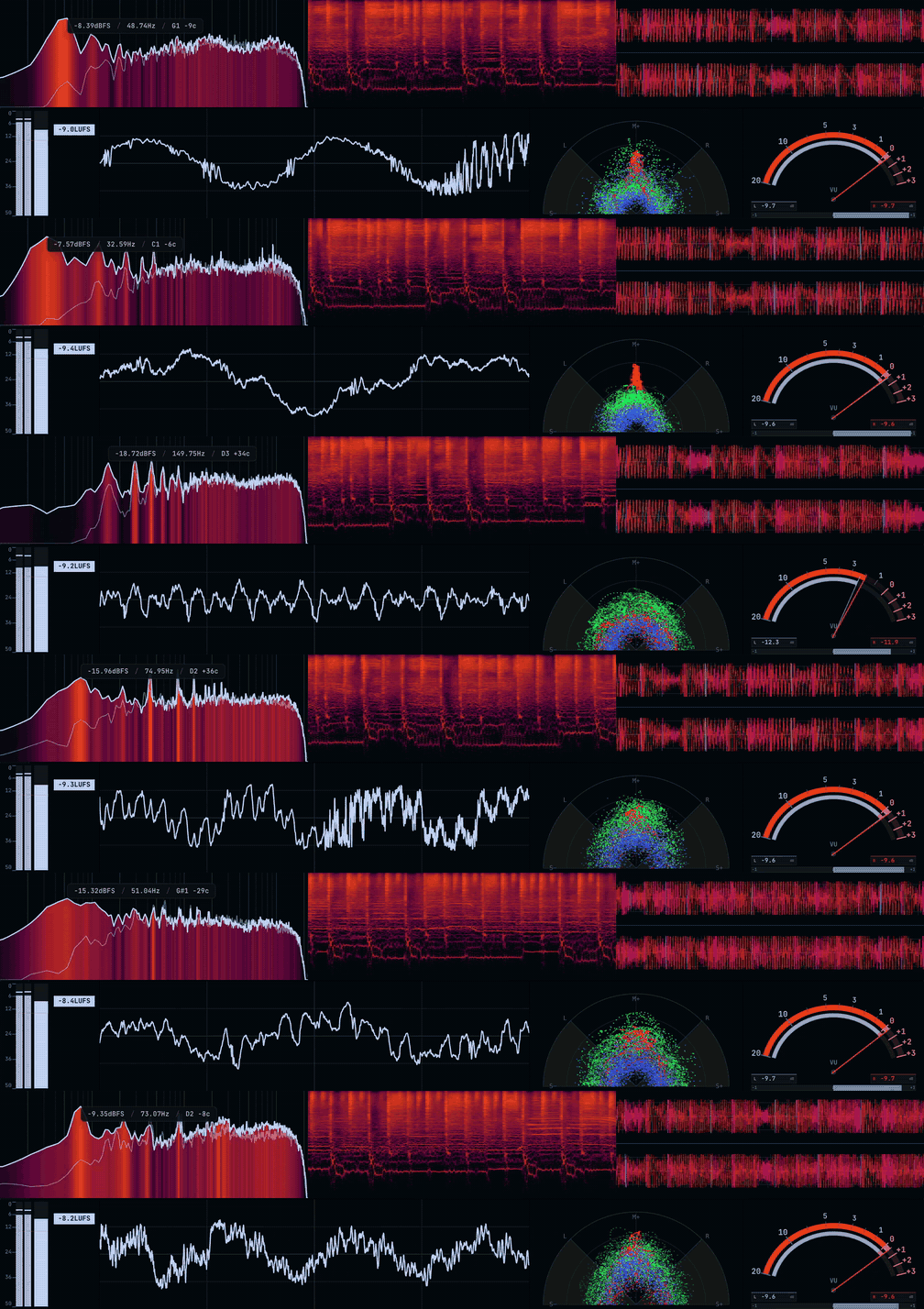
Prism includes seven scopes and meters:
* **Spectrum Analyzer** — Frequency spectrum with heatmap and fill modes, configurable FFT size, spectral tilt, multiple frequency scales, and peak information
* **Oscilloscope** — Time-domain waveform with an optional pitch-lock mode that follows the fundamental frequency
* **Vectorscope** — Stereo image and phase visualization with XY, Polar, and M/S Linear views, adjustable zoom, and an optional multiband RGB split
* **Spectrogram** — Scrolling frequency-over-time display with Log, Mel, and Linear scales and several detail modes
* **VU Meter** — Classic VU metering with needle and bar styles in horizontal or vertical layouts
* **Loudness Meter** — LUFS metering following ITU-R BS.1770 alongside stereo peak activity
* **Waveform** — Scrolling waveform view with mono, stereo, and multiband modes
Every scope can be configured independently. Resize and rearrange them into a rack, rotate them, pop individual scopes into their own windows, or pin them on top of other applications.
Compatible scopes also include an interactive measurement overlay for inspecting the display directly.
## Desktop
Prism can capture system output directly through CoreAudio on macOS, WASAPI on Windows, and PulseAudio on Linux. It can also switch to an input device when you want to analyze a microphone, interface, or line input.
No virtual audio cable is required for normal system capture.
The main rack and scope popouts can use solid, blurred, or clear backgrounds, making Prism usable as a normal desktop application or as a set of unobtrusive overlays.
Prism can also live in the system tray, start automatically with your computer, and launch either normally or out of the way when you want it running all the time.
## Rolling Capture
Prism can continuously keep the last **5, 10, 30, or 60 seconds** of audio in memory.
When you hear something you want to keep, drag the buffered audio out of Prism as a WAV file. There is no need to start recording beforehand.
## DAW Plugins
Every Prism scope is also available as a DAW plugin.
Drop a **Spectrum**, **Oscilloscope**, **Vectorscope**, **Spectrogram**, **VU Meter**, **Loudness Meter**, or **Waveform** onto a track and analyze it using the same interface and analysis engine as the desktop app.
* **VST3** on Windows, macOS, and Linux
* **AU** on macOS
* Settings are stored with your project
* Plugins follow your Prism themes and profiles
* Audio passes through untouched
Tested in Ableton Live, FL Studio, and Reaper.
The plugins install alongside Prism, so there is no separate download.
## Terminal UI
Prism also includes `prism-tui`, a native terminal interface built on the same capture and analysis code.
It provides real-time spectrum, metering, loudness, and other monitoring tools without needing to run the desktop interface.
```bash
prism-tui
prism-tui --list-outputs
prism-tui --output