# Mixbox for Dart/Flutter
Port of orginal [MIXBOX](https://github.com/scrtwpns/mixbox)
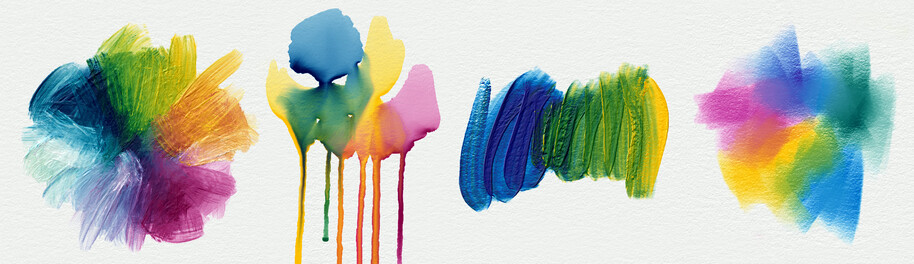
Dart implementation of **Mixbox 2.0** - physically realistic color mixing simulating real pigment behavior.
## 🎨 Why Mixbox?
Classic RGB mixing produces dull colors:
- **Yellow + Blue = Gray** ❌ (in RGB)
- **Yellow + Blue = Green** ✅ (with Mixbox)
Mixbox simulates physical pigment behavior for natural results.
## 📦 Installation
### 1. Add the files
```
lib/
mixbox/
mixbox.dart
mixbox_loader.dart
assets/
mixbox_lut.dat
```
### 2. Dependencies in `pubspec.yaml`
```yaml
dependencies:
flutter:
sdk: flutter
archive: ^3.4.0
flutter:
assets:
- assets/mixbox_lut.dat
```
### 3. Download the LUT
The `mixbox_lut.dat` file must be downloaded from:
- **Official source**: https://github.com/scrtwpns/mixbox
- Place it in `assets/mixbox_lut.dat`
> ⚠️ **Important**: Without the LUT, Mixbox won't work properly.
## 🚀 Usage
### Initialization (once at startup)
```dart
import 'mixbox_loader.dart';
void main() async {
WidgetsFlutterBinding.ensureInitialized();
// Load the LUT
await MixboxLoader.initializeFromAsset('assets/mixbox_lut.dat');
runApp(MyApp());
}
```
### Simple mixing (2 colors)
```dart
import 'package:flutter/material.dart';
import 'mixbox.dart';
import 'mixbox_loader.dart';
// Extension for easy use with Flutter Color
final yellow = Color(0xFFFEEC00);
final blue = Color(0xFF190059);
final green = yellow.mixWith(blue, 0.5); // 50% of each
```
### Multi-color mixing (3+)
```dart
final red = Color(0xFFFF2702);
final yellow = Color(0xFFFCD300);
final blue = Color(0xFF0D1B44);
// Convert to latent space
final z1 = Mixbox.rgbToLatent(red.toMixboxInt());
final z2 = Mixbox.rgbToLatent(yellow.toMixboxInt());
final z3 = Mixbox.rgbToLatent(blue.toMixboxInt());
// Custom mixing
final zMix = List.generate(
Mixbox.latentSize,
(i) => 0.4 * z1[i] + 0.3 * z2[i] + 0.3 * z3[i],
);
final mixed = Color(Mixbox.latentToRgb(zMix));
```
### Physically correct gradient
```dart
final gradient = List.generate(
10,
(i) => yellow.mixWith(blue, i / 9.0),
);
```
## 🎨 Predefined Pigment Colors
Use these colors for realistic results:
```dart
const cadmiumYellow = Color(0xFFFEEC00); // Cadmium yellow
const hansaYellow = Color(0xFFFCD300); // Hansa yellow
const cadmiumOrange = Color(0xFFFF6900); // Cadmium orange
const cadmiumRed = Color(0xFFFF2702); // Cadmium red
const quinacridoneMagenta = Color(0xFF80022E); // Quinacridone magenta
const cobaltViolet = Color(0xFF4E0042); // Cobalt violet
const ultramarineBlue = Color(0xFF190059); // Ultramarine blue
const cobaltBlue = Color(0xFF002185); // Cobalt blue
const phthaloBlue = Color(0xFF0D1B44); // Phthalo blue
const phthaloGreen = Color(0xFF003C32); // Phthalo green
const permanentGreen = Color(0xFF076D16); // Permanent green
const sapGreen = Color(0xFF6B9404); // Sap green
const burntSienna = Color(0xFF7B4800); // Burnt sienna
```
## 📊 Complete API
### Main methods
```dart
// Mix int (0xAARRGGBB)
int Mixbox.lerp(int color1, int color2, double t)
// Mix list [r, g, b] or [r, g, b, a] (0-255)
List Mixbox.lerpList(List color1, List color2, double t)
// Mix float [r, g, b] or [r, g, b, a] (0.0-1.0)
List Mixbox.lerpFloat(List color1, List color2, double t)
// Mix linear RGB (for 3D rendering)
List Mixbox.lerpLinearFloat(List color1, List color2, double t)
```
### Conversions
```dart
// RGB → Latent
List Mixbox.rgbToLatent(int color)
List Mixbox.floatRgbToLatent(double r, double g, double b)
// Latent → RGB
int Mixbox.latentToRgb(List latent)
List Mixbox.latentToFloatRgb(List latent)
```
## 🧪 Complete Example
```dart
import 'package:flutter/material.dart';
import 'mixbox.dart';
import 'mixbox_loader.dart';
void main() async {
WidgetsFlutterBinding.ensureInitialized();
await MixboxLoader.initializeFromAsset('assets/mixbox_lut.dat');
runApp(const MyApp());
}
class MyApp extends StatefulWidget {
const MyApp({super.key});
@override
State createState() => _MyAppState();
}
class _MyAppState extends State {
double _mix = 0.5;
final _yellow = const Color(0xFFFEEC00);
final _blue = const Color(0xFF190059);
@override
Widget build(BuildContext context) {
final mixed = _yellow.mixWith(_blue, _mix);
return MaterialApp(
home: Scaffold(
appBar: AppBar(title: const Text('Mixbox Demo')),
body: Column(
children: [
Container(height: 200, color: mixed),
Slider(
value: _mix,
onChanged: (v) => setState(() => _mix = v),
),
],
),
),
);
}
}
```
## ⚙️ Advanced Configuration
### Without the LUT (Testing only)
```dart
// Generates an approximation (NOT recommended in production)
final testLut = MixboxLoader.generateTestLut();
Mixbox.initialize(testLut);
```
### Linear Space (3D Rendering)
For shaders/3D rendering, use linear space:
```dart
final color1Linear = [1.0, 0.5, 0.0]; // Linear RGB
final color2Linear = [0.0, 0.2, 1.0];
final mixed = Mixbox.lerpLinearFloat(color1Linear, color2Linear, 0.5);
```
## 📝 License
**Creative Commons Attribution-NonCommercial 4.0**
- ✅ Free non-commercial use
- ❌ Commercial use requires license
- Contact: mixbox@scrtwpns.com
## 🔗 Resources
- **Official website**: https://scrtwpns.com/mixbox
- **Paper**: https://scrtwpns.com/mixbox.pdf
- **GitHub**: https://github.com/scrtwpns/mixbox
- **Interactive demo**: https://scrtwpns.com/mixbox/painter/
## ❓ FAQ
**Q: Why is the LUT necessary?**
A: It contains pre-calculated data from the physical pigment model (64×64×64 = 262,144 values).
**Q: Can I use it without the LUT?**
A: No for correct results. The `generateTestLut()` function is just for quick testing.
**Q: Performance?**
A: Very fast (~1μs per mix). Trilinear interpolation is optimized.
**Q: Difference with HSV/HSL?**
A: HSV/HSL are mathematical transformations. Mixbox simulates real pigment physics.
**Q: Does it work for animation?**
A: Yes! Perfect for gradients, transitions, and smooth animations.
## 🎯 Use Cases
- 🎨 Drawing/painting applications
- 🌈 Natural gradients
- 🎬 Content creation tools
- 🎮 Game color systems
- 🖼️ Realistic photo filters
- 📊 Data visualizations