# Mixbox: Practical Pigment Mixing for Digital Painting
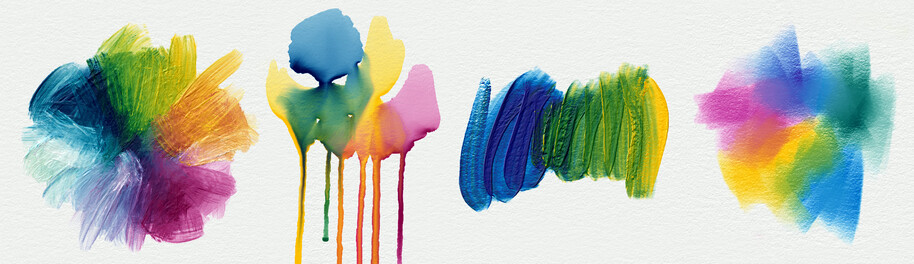
Mixbox is a pigment mixing black-box. You pass RGB colors in and get the mixed RGB out.
Internally, Mixbox treats the colors as if they were made of actual real-world pigments.
It uses the Kubelka & Munk theory to predict the color of the resulting mixture.
This way, Mixbox achieves that blue and yellow mix to green, the same way real pigments do.
* Paper: https://scrtwpns.com/mixbox.pdf
* Video: https://youtu.be/ATzVPVNp1qA
* Talk: https://youtu.be/_qa5iWdfNKg
* Demo: https://scrtwpns.com/mixbox/painter
Mixbox is shipping in Rebelle 5 Pro as the [Rebelle Pigments](https://www.escapemotions.com/products/rebelle/about) feature.
## Usage
The simplest way to use Mixbox is with the *lerp* interface:
```c++
#include
#include "mixbox.h"
int main()
{
unsigned char r1=252, g1=211, b1=0; // bright yellow
unsigned char r2=0, g2=0, b2=96; // deep blue
float t = 0.5;
unsigned char r,g,b;
mixbox_lerp_srgb8(r1,g1,b1, // first color
r2,g2,b2, // second color
t, // mixing ratio
&r,&g,&b); // result
printf("%d %d %d\n",r,g,b);
}
```
Alternatively, one can use the *latent* interface. This allows mixing multiple RGB colors at once using arbitrary weights:
```c++
float latent1[MIXBOX_NUMLATENTS];
float latent2[MIXBOX_NUMLATENTS];
float latentMix[MIXBOX_NUMLATENTS];
mixbox_srgb8_to_latent(r1,g1,b1,latent1);
mixbox_srgb8_to_latent(r2,g2,b2,latent2);
for(int i=0;i
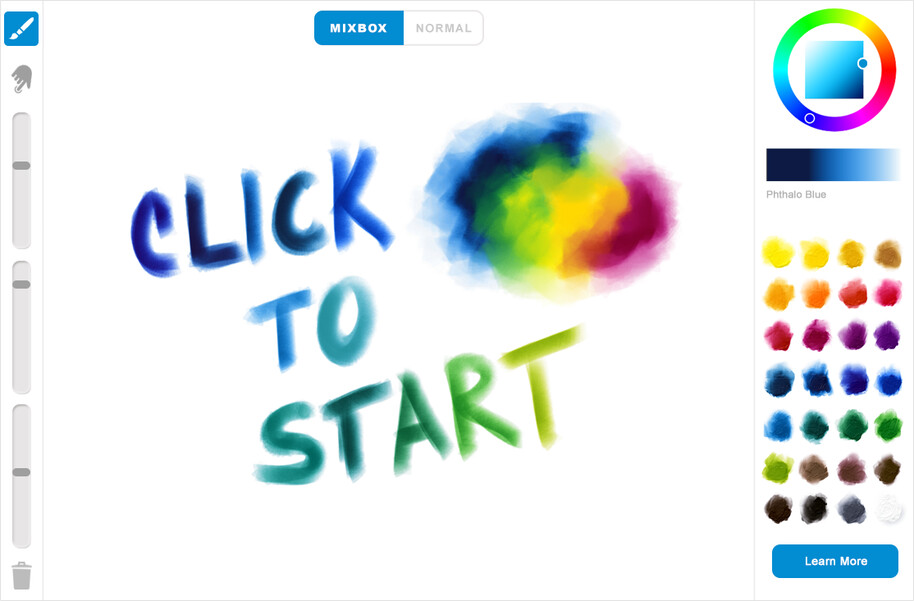 This is a toy painting app with soft round brush and a smudge tool. It runs two color mixing implementations in parallel: one based on Mixbox and the other that performs ordinary RGB mixing. The app allows switching between them on the fly, showing the differences between pigment-based mixing and the normal RGB mixing. To launch the demo in your browser, please click here.
## License
Copyright (c) 2022, Secret Weapons. All rights reserved.
This is a toy painting app with soft round brush and a smudge tool. It runs two color mixing implementations in parallel: one based on Mixbox and the other that performs ordinary RGB mixing. The app allows switching between them on the fly, showing the differences between pigment-based mixing and the normal RGB mixing. To launch the demo in your browser, please click here.
## License
Copyright (c) 2022, Secret Weapons. All rights reserved.
This code is for non-commercial use only. It is provided for research and evaluation purposes.
If you wish to obtain commercial license, please contact: mixbox@scrtwpns.com